

Design for Additive Manufacturing
The only real hybrid solution that allow you to use Implicit, Lattice, STL and Solid (B-rep) all together in one unified environment.
Design your next generation heat exchangers, manifolds, or implant with a dedicated solution ,faster, consistent and optimized for additive manufacturing.
Ensure Manufacturability as part of your design.
Optimize design and manufacturability in a single integrated CAD environment.
Additive Manufacturing for Designers
Maximize efficiency and innovation with advanced, end-to-end DfAM and build prep capabilities for the design and printing of industrial parts.
3DXpert enables freedom of design for designers looking to take advantage of additive manufacturing capabilities, while maintaining functional requirements.
Built Different: CAD at Its Core
No more compromising data integrity of mechanically designed parts to STLs. 3DXpert is built on a CAD engine – making history-based, parametric build preparation the new standard in AM.
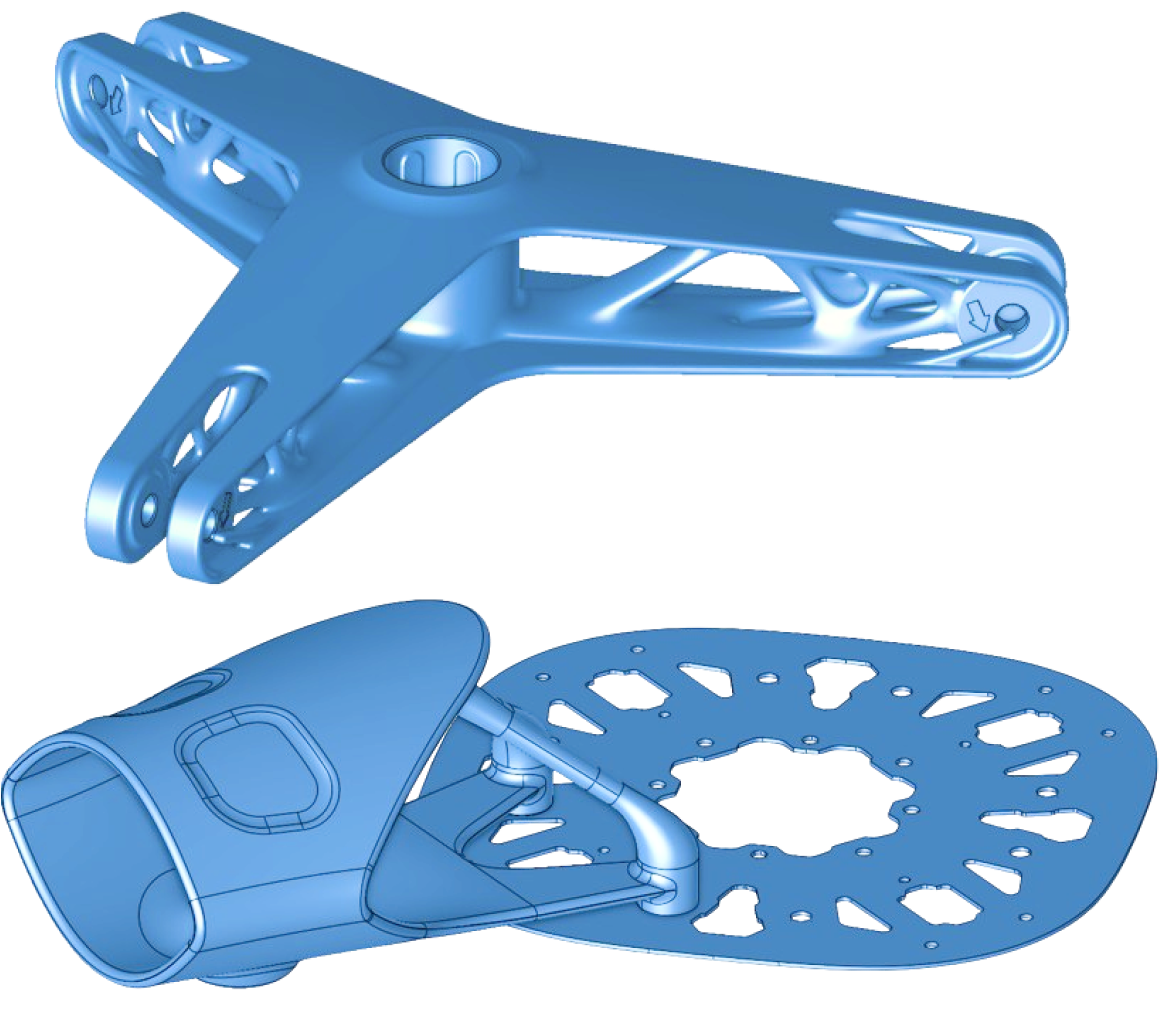
Hybrid DfAM combines the power of solid, mesh, Lattice, and implicit (voxel-based) modeling.
The power of implicit modeling
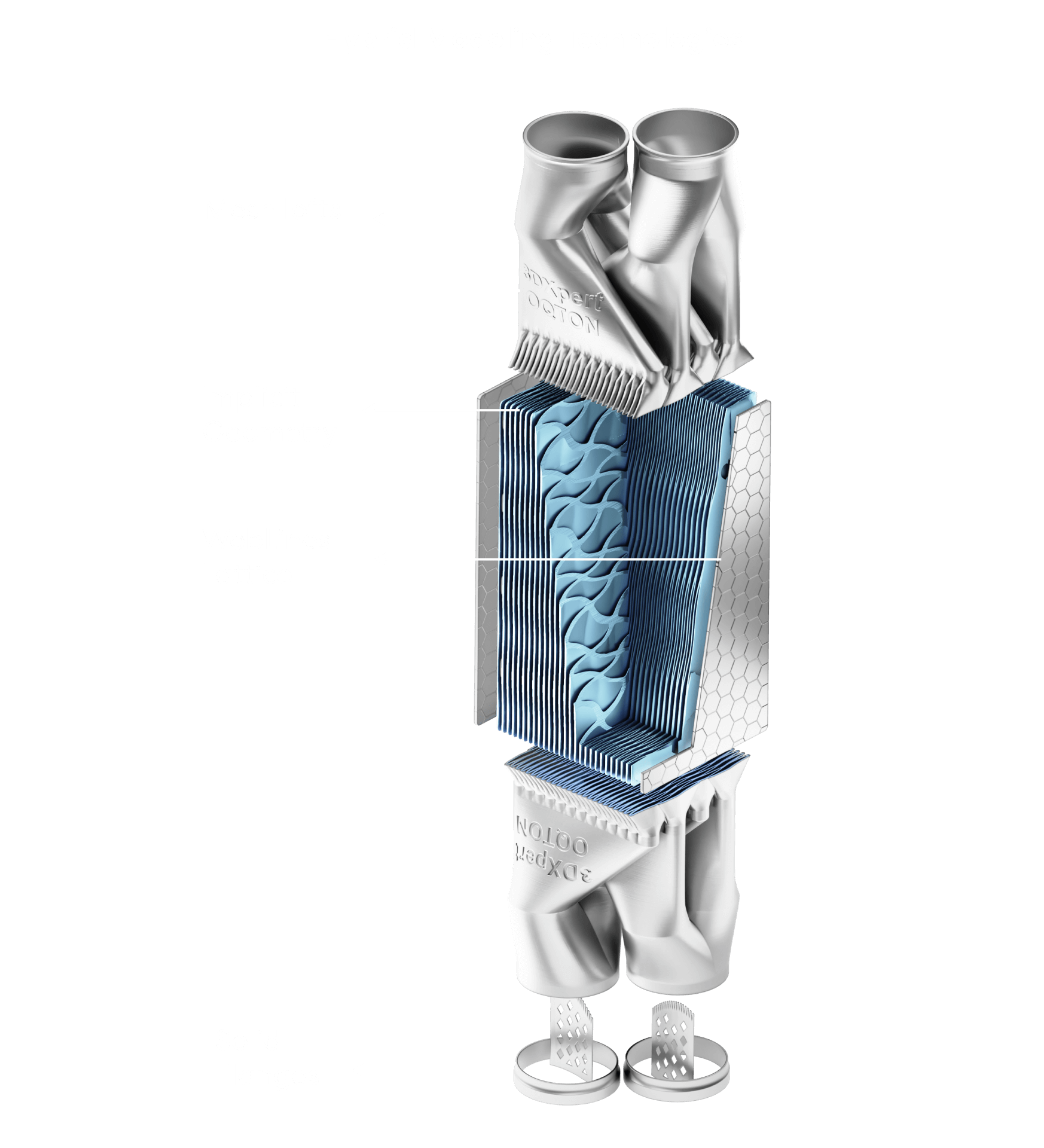
Implicit modeling describes complex geometries (such as TPMS lattices) that are impossible to design with traditional CAD tools. Experience true freedom for structural innovation with complete control over all parameters, including the ability to easily merge structures.
Design. Optimize. Prepare.
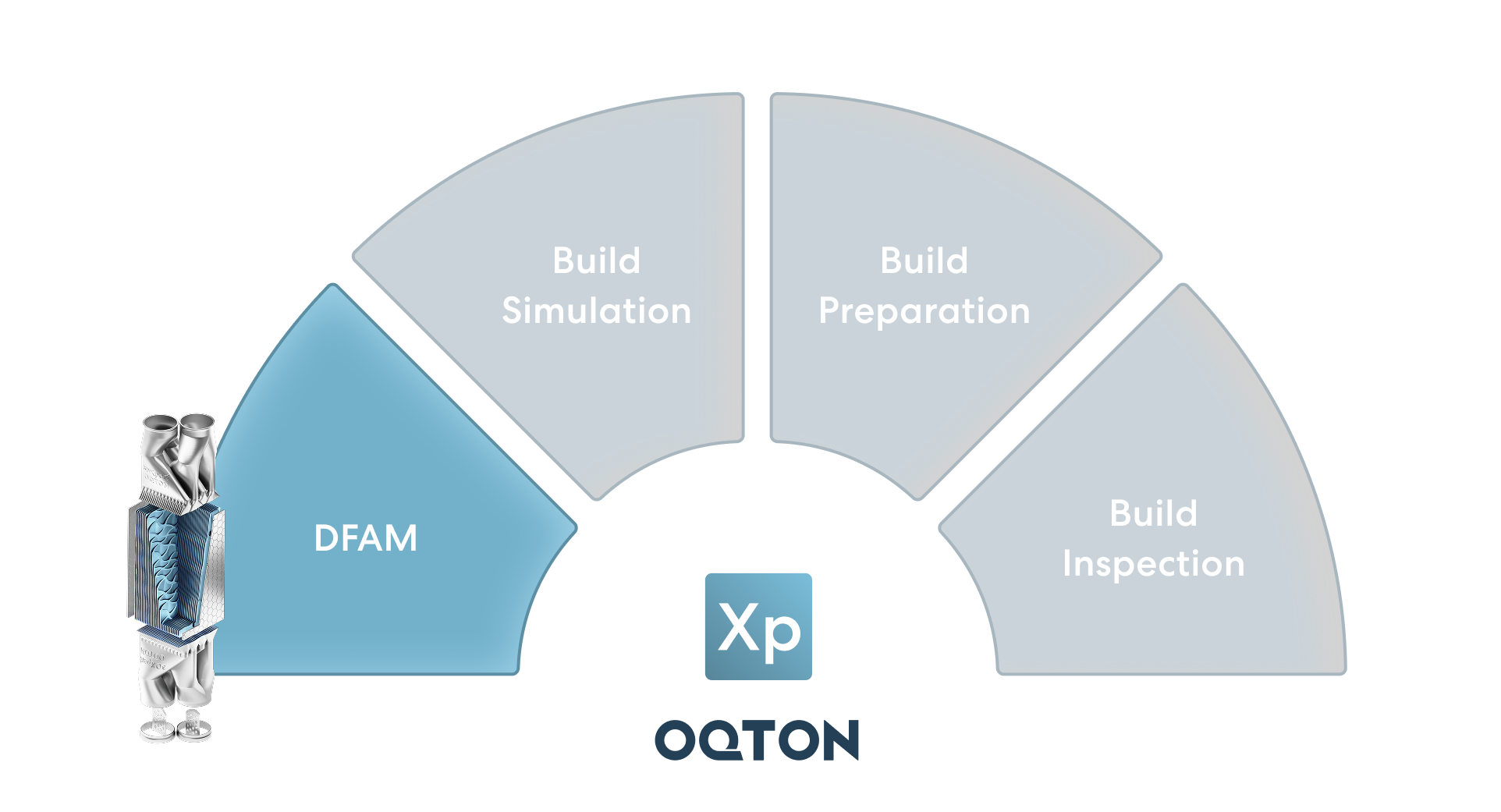
3DXpert is the complete software solution for additive manufacturing, from design to printing. Quickly and efficiently transition from a CAD model to a high-quality, 3D-printed part.
3DXpert is the best solution to support the disruptive shift from rapid prototyping to serial AM production.
- Hybrid DfAM & Applications
- End-to-end parametric based Build Prep
- Process Simulation
- Automation, Quotation & Setup
- Inspection
Design for Additive Manufacturing
Maximize Part Performance
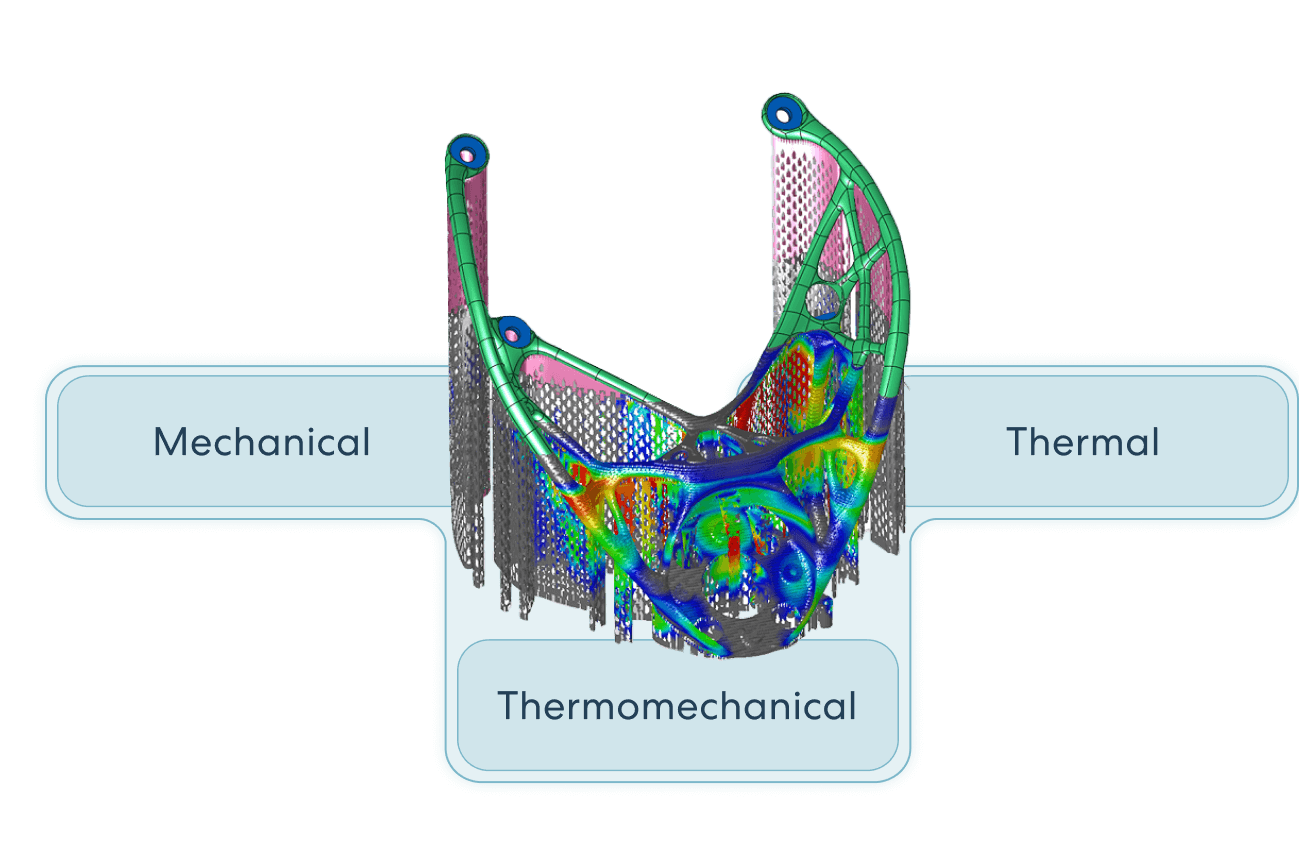
Simulate & Compensate
First Time Right
Industries
Additive Manufacturing Software for Every Industry

Tooling

Energy

Healthcare

Automotive

Aerospace & Defense

Engineering
Key DfAM options
Heat Exchanger
Use DfAM to design your next generation heat exchanger with design freedom to enhance the thermal performance
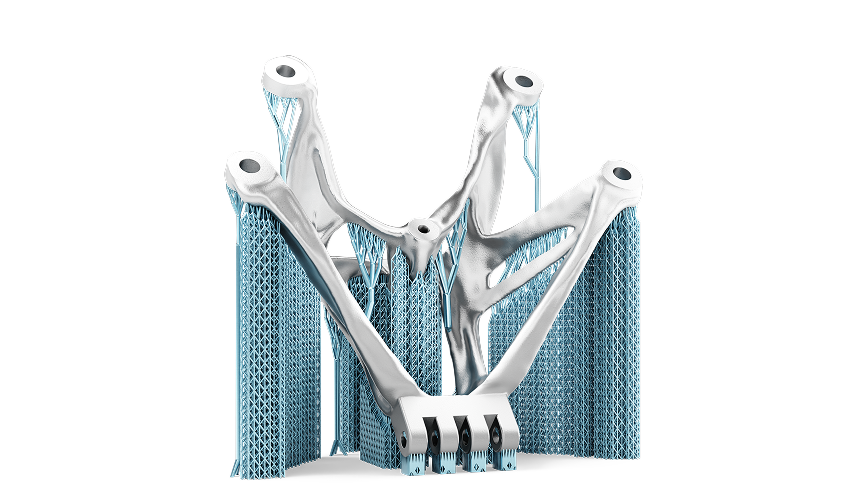
Implicit Modelling
Design extremely complex geometries using the most efficient tools available utilizing mathematical functions to describe shapes Volumetric lattice and infill structures – hollow out parts while maintaining their shape and meeting their mechanical specifications. Use conformal structures that can take on the shape of the part
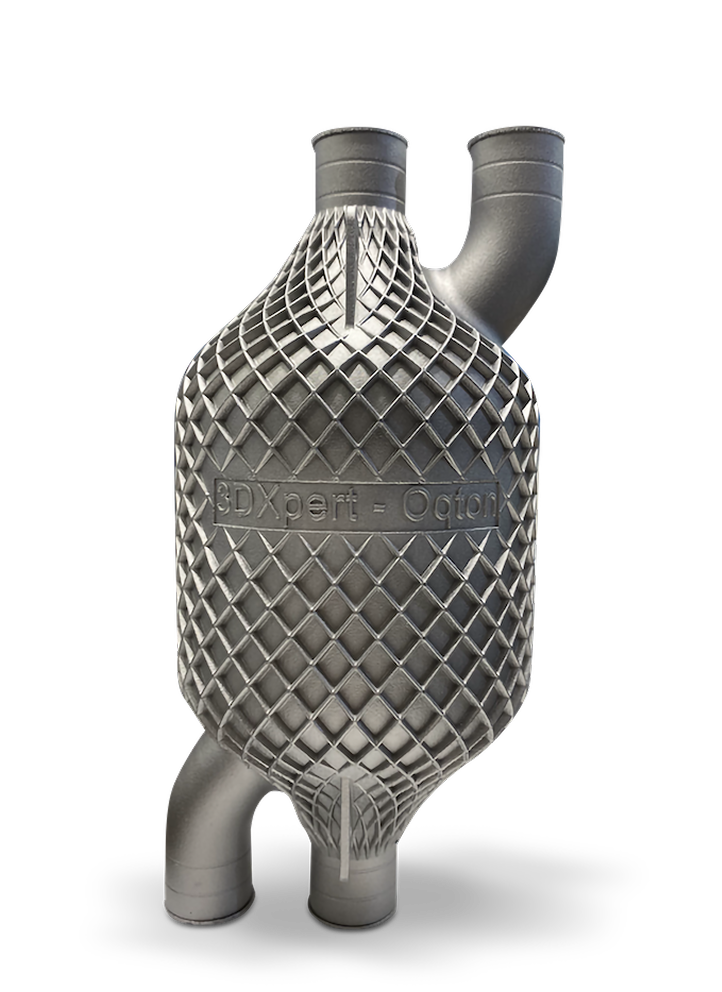
Lattice Custom
Structures
Use a rich library of pre-defined lattice structures; design your own unit cell lattice structures and cell progression or import lattice structures designed in other systems.
Run FEA stress analysis on lattice structures, optimize lattice elements, and create your functional required design
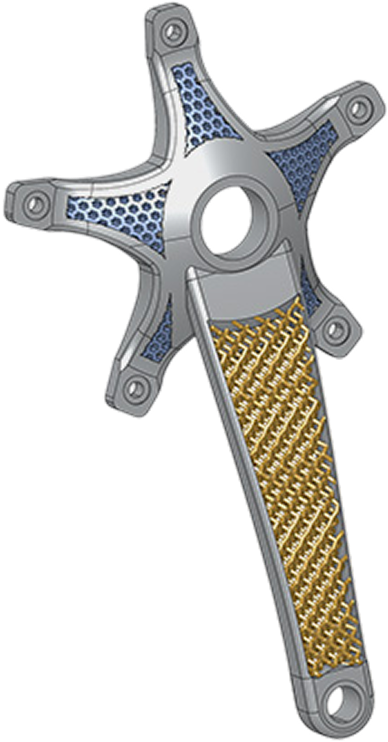
Surface Texture
Apply printable and conformal textures for each surface. Use web-lines for structural strength. Lightning-fast optimization enables rapid creation, editing, and visual manipulation of lattice structures with history-based parametric features.
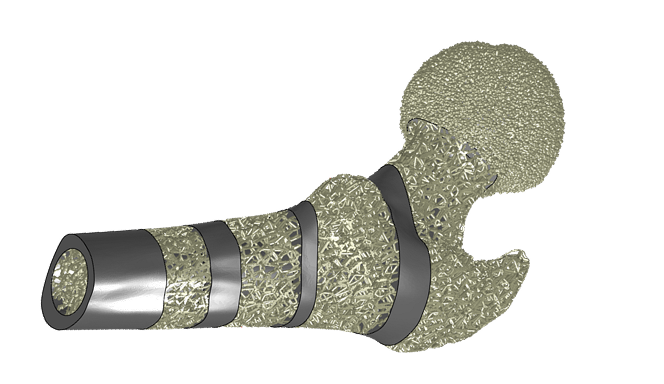
Trusted by Customers Across Many Industries



Dedicated Application
Heat Exchangers
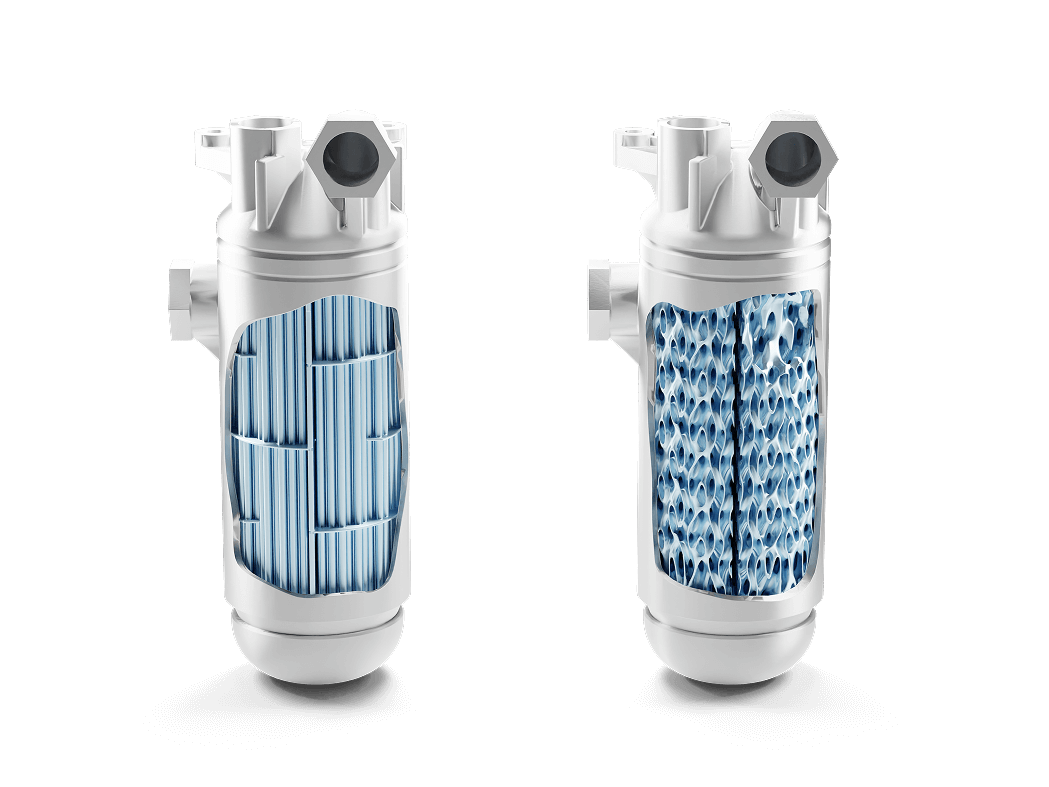
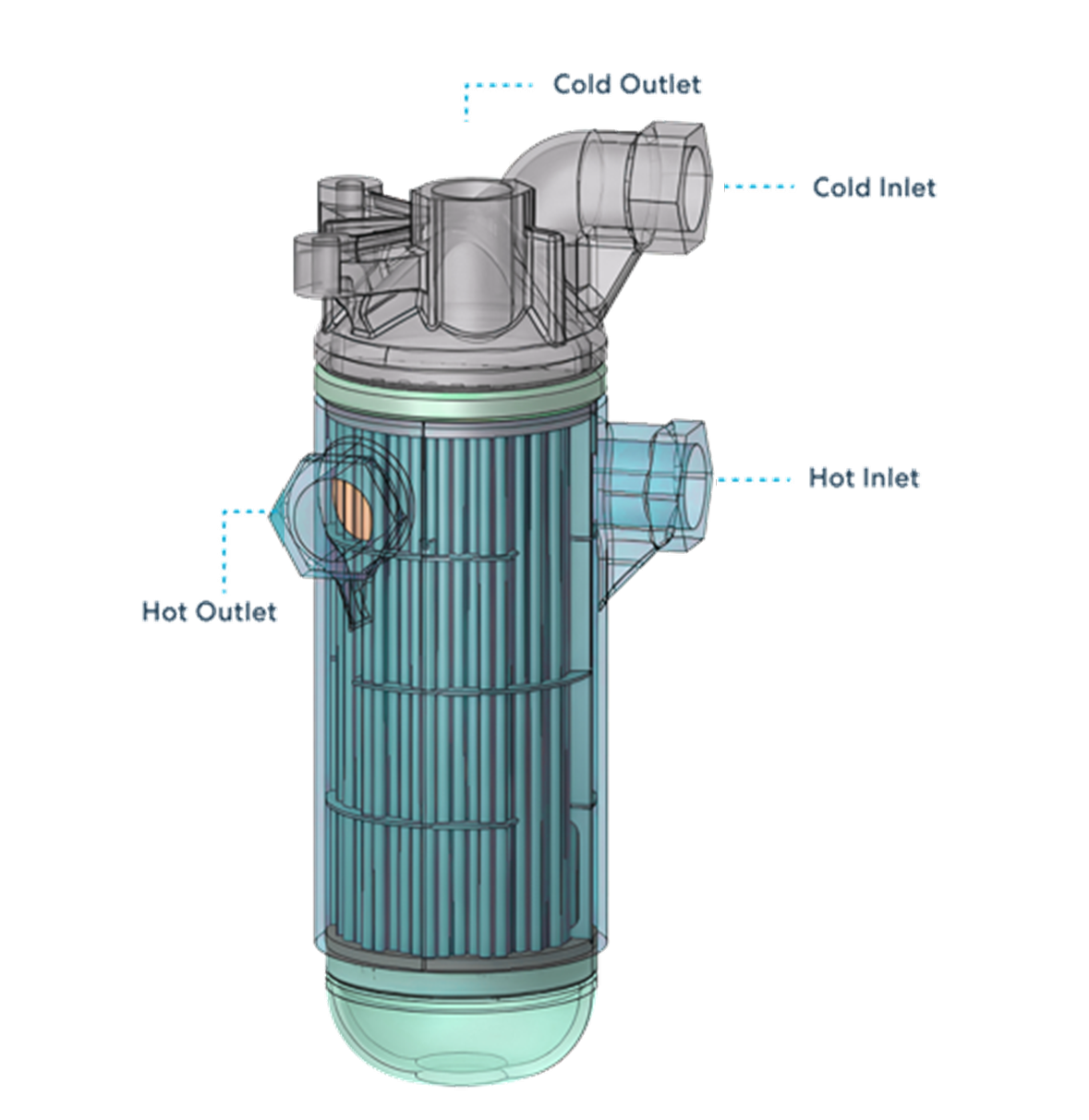
Heat exchangers are one of the most exciting applications of function-based structures.
Lightweight construction and a huge surface area enable highly efficient operation.
With 3DXpert, implicit modeling generates complex TPMS structures that are inherently divided into separate volumes for hot and cold fluid. Specifically, 3DXpert’s Heat Exchanger application enables you to
- Create inlets and outlets with automatic plug generation for each medium
- Generate complex arrays of channels for direct feed of the TPMS structure
- Estimate the efficiency coefficient with analysis tools
- Iterate quickly to explore various options until achieving the desired result
Manifolds
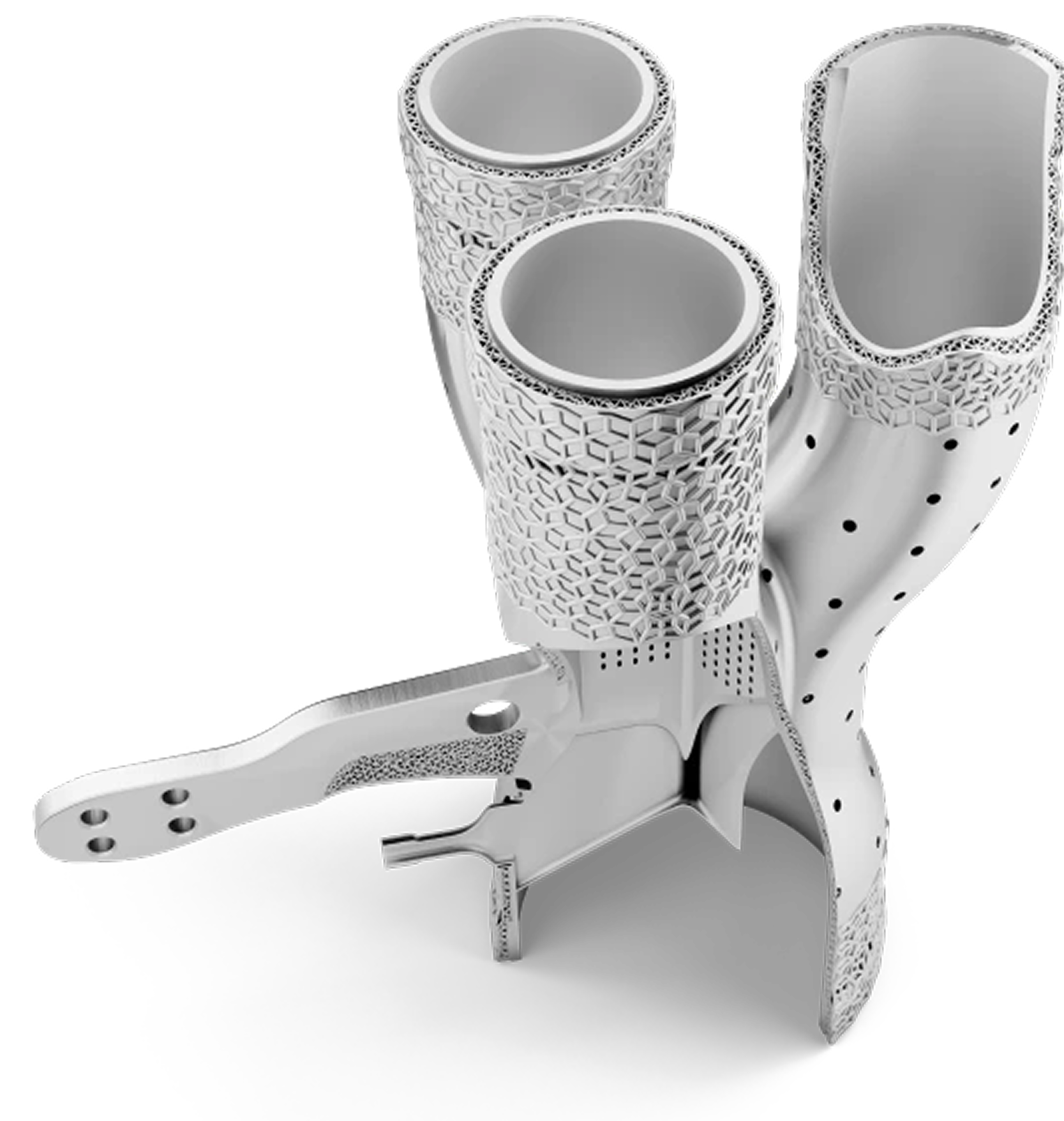
Manifolds often incorporate cooling or heating channels. 3DXpert facilitates the design of conformal channels, which are internal passages that closely follow the contours of the part.
For manifolds that also serve as heat exchangers or require precise temperature control, conformal channels designed in 3DXpert ensure uniform cooling/heating, reduce hot spots, and improve the lifespan of the product. This is a significant advantage over traditional drilled channels that are limited to straight lines.
The software allows the integrated design of these channels directly within the manifold’s geometry, avoiding the need for multi-part assemblies prone to leakage.
Medical Implants
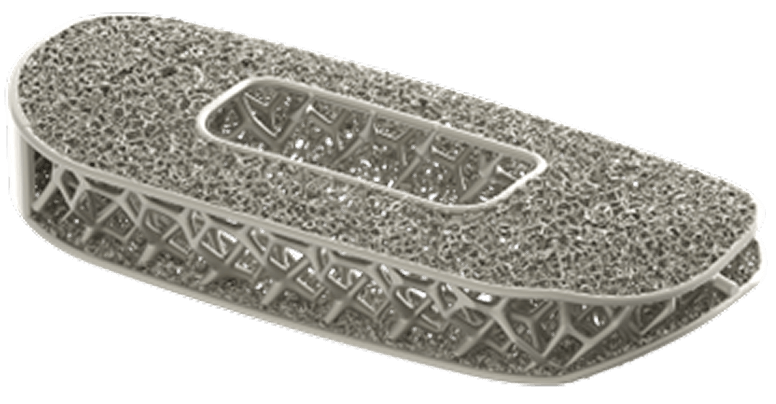
Medical implants often require patient-specific customization, complex internal structures for bio-integration, and strict adherence to material and structural properties.
Patient-Specific Design and Customization:
- 3DXpert can seamlessly import and work with hybrid CAD models derived from patient-specific anatomical data This allows for the creation of implants that precisely match a patient’s unique anatomy, leading to better fit, function, and surgical outcomes (e.g., custom cranial implants, joint replacements, surgical guides)
- Osseointegration: A key requirement for many implants (especially orthopedic) is osseointegration – the direct structural and functional connection between living bone and the surface of a load-bearing implant. 3DXpert excels at designing highly porous
- Lattices allow for significant weight reduction while maintaining or even improving mechanical properties. 3DXpert enables engineers to optimize these lattice designs, including variable densities and cell sizes, to match the biomechanical properties of the surrounding bone, reducing stress shielding
- Beyond volumetric lattices, 3DXpert can apply surface textures and porosities to the outer shell of implants. This creates a roughened surface that further enhances cellular adhesion and promotes biological fixation
Conformal Cooling
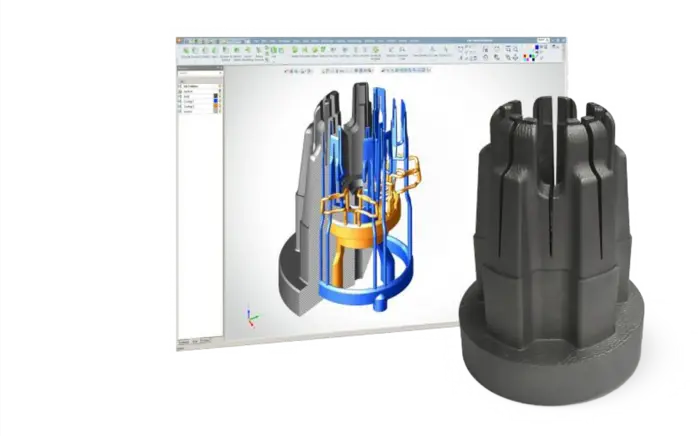
3DXpert is specifically designed to facilitate the creation of conformal cooling channels within parts, particularly for applications like injection molds. Conformal cooling channels are a significant advantage of additive manufacturing (3D printing) because they allow cooling passages to follow the exact contours of the part, unlike traditional manufacturing methods which are limited to straight-line drilling. This leads to much more efficient and uniform cooling, which in turn improves part quality, reduces cycle times, and lowers overall production costs.
With 3DXpert, engineers can design cooling channels that are placed strategically closer to the mold surface in areas where heat dissipation is critical or where hot spots typically occur. This localized and efficient cooling helps to maintain a more uniform temperature across the mold and achieve:
- Reduced Warpage and Defects
- Faster Cycle Times
Try 3DXpert additive
manufacturing software
Need some more information?
Here are some more 3DXpert
resources to download.

3DXpert Brochure

3DXpert DfAM
Don’t take our word for it!
Have a look at how successful our customers are

Professional Additive Manufacturing Software
3DXpert offers an integrated solution for 3D printing high-quality metal and plastic additive parts.
3DXpert FAQs
How can I contact Oqton to request a demo, or purchase 3DXpert?
You can request a demo here
What languages does 3DXpert support for additive manufacturing?
How can I request a trial of 3DXpert additive manufacturing software?
Request your Trial and fill in your contact details. A member of our team will then contact you. The 3DXpert installation guide can be found on our support site.
What are the minimum system requirements to run 3DXpert?
– 4 cores i7 CPU (Gen 9 & above)
– 16GB RAM
– SSD recommended
– GPU – OpenGL enabled graphics card 4GB
– Find full system requirements on our Support page.
How can I organize a 3DXpert training course?
To organize a training course, please fill in our Contact Us form.
What additive manufacturing machines are compatible with 3DXpert?
What additive manufacturing machines are compatible with 3DXpert?
3DXpert supports polymer-based processes, as well as metal additive manufacturing. Oqton partners with all major powder bed machine vendors and more (3D Systems, EOS, SLM Solutions, Renishaw, Farsoon, HP, Xact Metal, Aconity3D, Freemelt, Colibrium Additive, Trumpf) to ensure smooth integration. Contact Us to find out how deeply your preferred systems are integrated..
Which CAD files and other file formats are compatible with 3DXpert?
3DXpert imports and exports all standard CAD formats. It can directly read native files of common CAD systems: SOLIDWORKS, CATIA, NX, Creo, Solid Edge, Inventor and Rhino. It can also read and write all commonly used generic formats:
– B-rep: STEP, Parasolid, IGES, SAT (ACIS), VDA
– >Mesh: STL, 3MF, OBJ, PLY, AMF, 3DXML, JT, VRML
– Voxels: VDB
– Contours and points: DXF, CLI, Point cloud formats
Request A Demo
"*" indicates required fields